Written by Nell VH
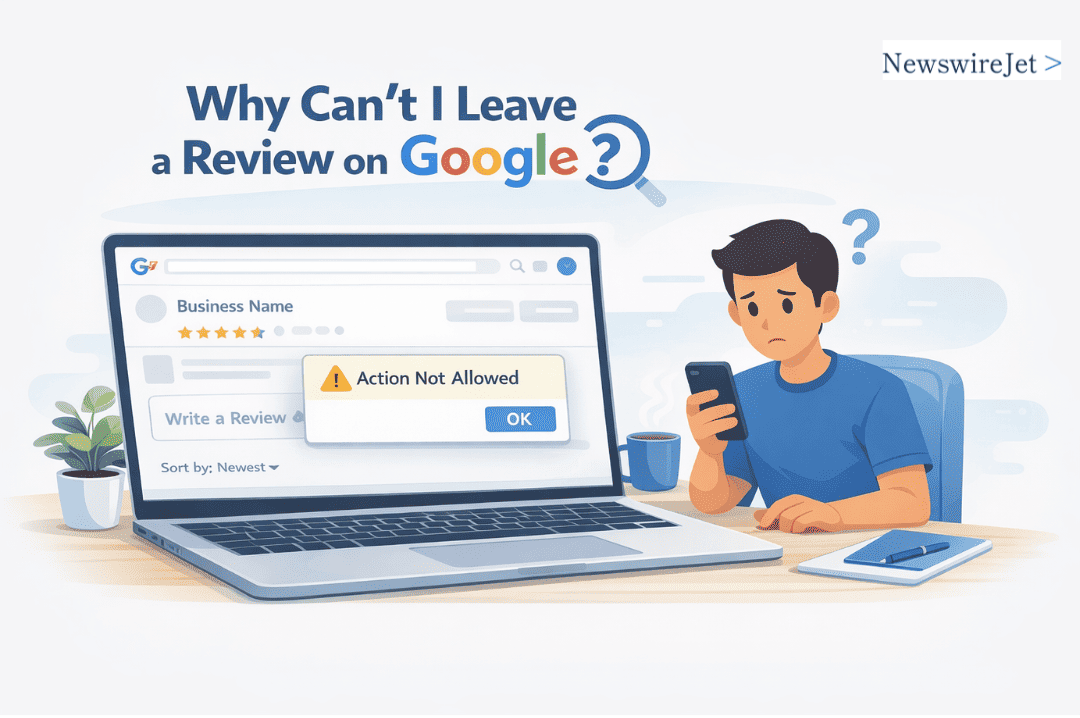
Google stops a lot of reviews from going live. If you've ever typed one out only to have it disappear or fail to submit, you've hit their filter system.
These automated checks are designed to catch fake and abusive content, but they frequently trip up ordinary users.
The block could be for something simple, like a new account or a flagged business location.
Want to know the specific triggers and how to possibly fix it? The details are just below.
Why You Can’t Leave a Review on Google: Quick Answers
- You must be signed in with a verified Google account to leave a review.
- Google blocks reviews that seem fake, spammy, or violate their policies.
- Some businesses or regions may have restrictions preventing reviews.
Why Does Google Disable Reviews for Some Businesses?
You know when you look up a cafe or a shop on Google Maps, and right under the photos there's usually that big "Write a review" button?
Sometimes, it's just not there. It's not a bug on your phone. Google removed it on purpose.
Why? Because their systems detected something fishy. Maybe the business got 50 glowing five-star reviews in two hours, all from accounts with no profile pictures.
According to research from Sterling Sky, a review block is when Google temporarily restricts a profile from receiving new reviews for about 30 days, noting that
"the pattern Google appears to flag isn’t review volume, it’s review behavior,[such as] reviews being left inside the business [or] QR codes used at the counter." - Sterling Sky
Maybe a disgruntled ex-employee got their friends to leave a bunch of one-star rants.
Google's filters pick up on these weird patterns and, to stop the nonsense, they'll often just shut off reviews for that business entirely.
It's like hitting a mute button on the conversation.
If you're a customer, you're stuck. You can't leave a review, good or bad.
The only person who can fix it is the business owner. They have to go through Google's Business Profile help, figure out what triggered the lock, and plead their case.
It's a slow, frustrating process with no guaranteed timeline.
It's a heavy-handed move, but Google's logic is straightforward: they'd rather show you no reviews than a bunch of fake ones.
That missing button is their way of saying, "We don't trust what's being said here right now, so we're not letting anyone else join in.”
Business Categories That Don’t Allow Reviews
You can't leave a Google review for every business. Some categories are blocked entirely.
Business Category
Why Reviews May Be Disabled
What You Can Do
Schools & Universities
Privacy and student protection laws
Contact the institution directly
Hospitals & Clinics
Medical confidentiality regulations
Provide feedback through official channels
Government Offices
Public service neutrality policies
Use official complaint systems
Financial & Legal Services
Professional conduct and compliance rules
Check regulatory bodies for feedback options
Google restricts these to comply with laws about privacy, confidentiality, and professional conduct.
According to Google Business Profile Help,
"In certain situations, Google might temporarily disable user-created content, including reviews, for certain Business Profiles or business categories to protect business owners... this includes places categorized as a general education school."- Google Business Profile Help
So if there's no "Write a review" button on your local clinic's page, it's not missing,it was never there to begin with.
Before you try to write one, see if the business type is even eligible.
Google's own help documents are the most direct source for this information.
Account and Sign-In Issues: Are You Properly Logged In?

You click to post a review, and... nothing. Or an error pops up. It's frustrating, and more often than not, the culprit is your Google account.
Google has this rule: you need a real, verified account to leave reviews.
If your account is too new, looks incomplete, or hasn't been verified, they'll quietly block you.
Here are the specific account gremlins to hunt down:
- Logged into the wrong account. This is probably the most common issue. You have a personal Gmail, a work Gmail, maybe an old one from college. The browser is signed into one you never use for reviews.
- Your profile is a ghost. A blank name, no picture, an unverified email address from 2012. Google doesn't trust "incomplete" profiles.
- Your account got flagged. If you've posted a lot of reviews quickly, or if something in your activity tripped a spam filter, Google might temporarily restrict you.
The fix starts with checking which account you're actually using. Pull up Gmail in another tab,whose inbox shows up? That's your active account.
Then, visit your Google profile. Add a name, maybe a photo, and verify your email or phone number. It's boring, but it helps.
Finally, try the oldest trick: log out of Google completely, close the browser, then log back in. It's surprising how often that clears up a weird technical hiccup.
Spam and Abuse Protections: Why Your Review Might Get Blocked

Google has a team, and it has software. Together, they sift through millions of reviews to find the ones that don't belong.
They're looking for the obvious stuff: spam, fake five-star ratings from a brand's own employees, and genuinely nasty or harmful comments.
Your review might get stopped before it ever posts. The biggest red flags? Writing something that sounds like a press release or a sales pitch.
Posting the exact same glowing review for ten different branches of the same store. Trying to sneak in a website link or your phone number.
Or using insults and making serious accusations without any proof. In extreme cases, false accusations can escalate into disputes where someone claims they could be sued for a bad review.
The system isn't perfect, but it's looking for patterns.
So, how do you get past it? Write like you're telling a friend what happened. Be specific.
"The server was rude and our food took an hour" is better than "WORST EXPERIENCE EVER!!" Stick to what you actually saw and felt.
Stick to facts to avoid legal issues like defamation claims. It's rare, but it happens. Your honest opinion is protected; lies and malice are not.
Regional or Country Restrictions on Reviews

Ever been somewhere and tried to complain online, only to find the website won't let you? It happens. The reason usually isn't technical.
It's about the ground under your feet. Local laws decide what you can post, and those laws change at every border.
Consider these situations:
- Want to review a hospital in Austria or a private bank in Switzerland? Good luck. They often can't legally host public patient or client opinions. Privacy laws seal those opinions away.
- In countries with strict defamation or national harmony laws, a negative review can be seen as more than just criticism. It can be a legal offense, raising broader legal and procedural questions depending on local regulations. Strict defamation laws in some countries (e.g., parts of Asia/EU) may limit critical reviews.
- Entire professions are sometimes gagged. Lawyers, financial advisors, certain healthcare providers,and their industry regulators frequently ban public ratings altogether. No stars, no comments, nothing.
So you're abroad, the service was awful, and you're typing out a fiery one-star takedown.
You hit submit. Nothing happens.
It's likely not an error. It's the local legal reality saying, quietly but firmly, "Not here, you don't."
Your frustration is real, but the law is the law.
Technical Glitches and Browser Issues

You can't leave a Google review. You've checked the rules, and you should be able to.
What gives? Often, it's not a policy issue,it's just a tech glitch. Browsers and apps get buggy, and that little review box can vanish or freeze up.
Here’s what usually goes wrong:
- An outdated browser that doesn't support the latest page features.
- Corrupted cache or cookies messing with the site's code.
- A browser extension, like an ad blocker, interfering with the page.
- A temporary bug in the Google Maps or My Business app itself.
The fix isn't complicated, but you have to try a few things in order.
First, clear your browser's cache and cookies. It’s the classic first step. Next, update your browser or the Google app to the latest version.
Still broken? Disable your browser extensions temporarily to see if one is causing a conflict. If nothing works, try a completely different browser or switch to your phone.
Going through this checklist fixes the problem nine times out of ten, and you’ll be able to write your review.
Google Review Policy Highlights: Staying Within the Rules
If you want your Google review to stay up, you need to play by their rules. Ignoring them is the fastest way to have your comment deleted.
Here’s what Google absolutely requires:
- Reviews must be based on real, firsthand experiences. You need to have actually been there or used the service yourself. No opinions based on what you heard from a friend or read online.
- Spam, fake reviews, conflicts of interest, and incentivized feedback are banned. This covers a lot. You can't post the same review everywhere. You can't pretend to be a customer if you're the owner, an employee, or a competitor. And you definitely can't accept a free meal, a discount, or any other perk in exchange for writing a review,even if the business offers it.
- Hate speech, harassment, and personal attacks are strictly prohibited. Keep the feedback about the business, not about individuals. Attacks on someone's race, religion, gender, or other personal attributes will get the review pulled immediately.
- Businesses can’t solicit only positive reviews or offer rewards for reviewing. If you own the place, you can't just ask your happy customers to post. Asking for reviews is okay, but filtering for only positive ones is not. Offering any kind of reward, entry into a contest, or special treatment for a review is against policy.
Sticking to these points keeps the system somewhat honest for everyone looking for a reliable recommendation.
It's frustrating when you see fake reviews, right? These rules try to limit that.
Now, say you follow all this and your review still gets reported by someone. What then? It gets flagged for Google to look at.
That's when it's useful to understand their typical process and how long it takes to remove a review that violates the rules.
It doesn't happen instantly, but they do have a system for it.
What You Can Do: A Troubleshooting Checklist
If you click that "Write a review" button and nothing happens, or it just spins forever, it's frustrating.
Let's go through the usual suspects, one by one.
Double-check your Google account. You need to be logged into the main account you actually use.
An old, throwaway account you made once for a single download probably won't work. Make sure it's verified, meaning you've confirmed the email and added a phone number. Google is picky about this.
Look at the business itself. Some places, like certain government offices, hospitals, or schools, have reviews turned off by Google.
You'll see the stars and maybe old reviews, but the option to add a new one is gone.
Your review's wording matters. Google's automated filters are aggressive.
Avoid anything that sounds like a personal attack, includes phone numbers or addresses, or seems copied and pasted.
Even excessive profanity in a positive review can get it flagged before it posts.
If the basics are covered, try the classic tech fixes. Clear your browser's cache and cookies,it's tedious, but it works surprisingly often. If that fails, switch browsers.
Try leaving the review from the Google Maps app on your phone instead of your desktop.
Your location can be a factor. Are you using a VPN, or are you in a country that restricts Google services?
That might be blocking the action. VPNs may trigger flags; disabled to test.
After all that, if you're still hitting a wall, the problem might be on Google's end with your account. Your review privileges could have been disabled, sometimes by mistake.
The only way to know for sure is to contact Google Support directly. They can look at your account history and tell you why. Usually, though, the fix is in this list.
How to Get Your Voice Heard on Google
Your browser can't play this video.
Learn more
Credits: Chevie Publicover
Google pulls the review button for a few solid reasons. It's a pain, but it's not random.
First, look at your own account. If Google thinks you're a bot, or you've posted fake reviews before, they'll shut you down.
Make sure your account is verified and you haven't broken any rules. Sometimes just having a new, barely-used account is enough to limit you.
Then, check what you're trying to review. Google blocks reviews for entire categories.
Hospitals, police stations, government offices,places where a star rating doesn't make sense. If the button is missing, the business might be in one of these blocked groups.
Your review's content gets scanned by an algorithm. Mention a competitor? Use aggressive language? Include a phone number or link? The filter will likely catch it and hide your post. Write like you're telling a friend about your experience: straightforward, personal, and without any sales pitch.
It could also be a temporary bug.
Try using Google Maps in a private browser window, or switch from your phone to a desktop computer. These things get stuck sometimes.
When all else fails, you have to contact Google. Use the official "Send feedback" tool in Maps or search for "Google Business Profile help" to find their support contact form.
Be clear, give details (business name, your account email, what happened), and be patient. They don't have a phone line for this, so it's a waiting game.
FAQ
Why can’t I write a review on Google even after I sign in?
If you cannot write a review on Google reviews after you sign in, the problem is usually related to your Google Account status.
Your account may be restricted, incomplete, or flagged by Google’s automated systems.
A temporary review block can also prevent you from posting. Clear your browser cache, confirm your email address, and try again through Google Search or Google Maps.
Why does the reviews section disappear on some business listings?
The reviews section may disappear if the Business Profile is new, suspended, or under a Google quality check. Google’s review filter sometimes hides content during a review policy review.
In other cases, certain Google features are limited. If you cannot see the Reviews tab, the Google My Business listing may not fully meet Google review guidelines.
Can Google remove or block my review without telling me?
Google’s review system can remove a review without sending a notification. This usually happens when a review violates Google guidelines or triggers review suppression signals.
Reviews that appear spammy, contain copied review scripts, or show unusual review volume may be filtered. Google’s automated systems regularly scan customer reviews for policy compliance.
Why can’t I leave a review on Google Maps app?
If you cannot leave a review on the Google Maps app, the app may be outdated or experiencing a technical issue.
Make sure you are properly signed in to your Google Account and that your email address is verified.
Community rules within the Google Maps community may also limit review functionality for certain accounts.
How do I fix review problems affecting local search visibility?
If you cannot post online reviews, your customer feedback may not appear in local search results. Follow Google review guidelines carefully and avoid duplicated content.
Verify your Google profile details and check Google support resources for updates. Consistent, policy-compliant customer reviews help improve online reputation, search engine visibility, and customer conversions.
Final Fixes: How to Leave Your Google Review Successfully
You found a place, had an experience, and went to write a review,but the button wasn't there. It happens.
Google might have paused reviews for that business. Could be a category issue, or maybe the owner turned them off. It's usually not permanent.
Your review helps other people decide where to go. To make sure yours gets posted, keep it factual and follow Google's guidelines.
When you're ready to share something bigger than a review, that's where a press release comes in. NewswireJet puts your news on real news sites.
References
- https://www.sterlingsky.ca/review-posting-blocks-are-surging-heres-the-data-plus-the-patterns-behind-them/
- https://support.google.com/business/answer/10313341
Related Articles